In this article
You can have every game entered into the scheduling system and still have a lot of work left before you are ready to broadcast it.
That is what I think about when the fall sports calendar starts filling up. Someone sees a game on the schedule and assumes the organization is ready. Meanwhile, programming is working through channel assignments, traffic is reviewing commercial requirements, and distribution needs to know which feeds are going where.
The event exists. The question is whether everyone has what they need to deliver it.
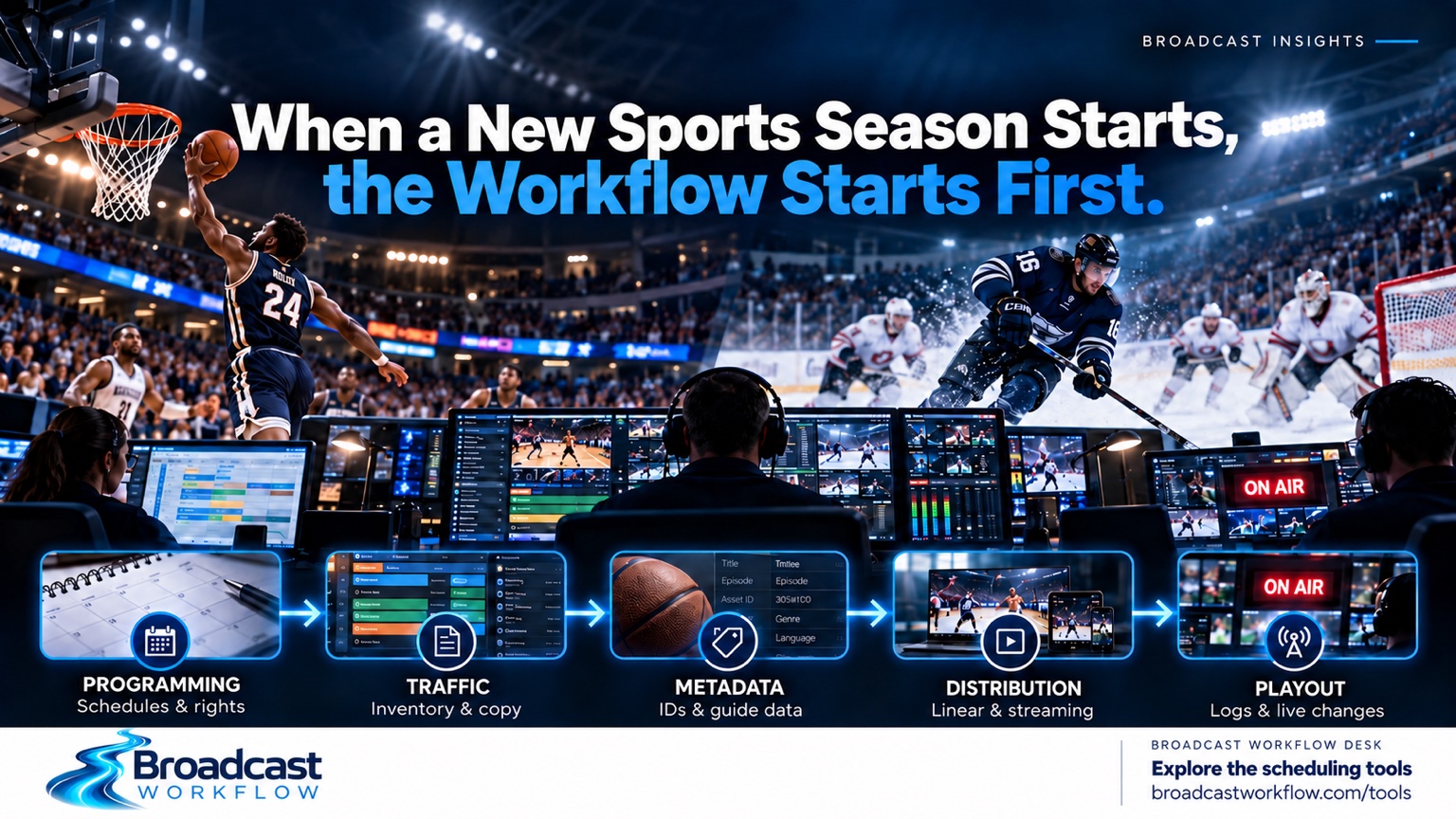
With basketball joining hockey, football, and postseason baseball on the October calendar, those handoffs deserve some attention. The audience is looking forward to the games. The people supporting those broadcasts are looking at everything that has to happen around them.
The league schedule gives us dates, opponents, venues, and start times. From there, broadcasters have to turn that information into something their systems and departments can actually execute.
That is where the workflow starts.
A game on the schedule is the beginning
Consider a basketball game scheduled for the evening, with a hockey game on another channel and a streaming presentation to support as well.
Before any of those events begin, someone needs to establish the program records, confirm the feeds, review rights restrictions, build the appropriate commercial structure, and make sure the metadata reaches the right destinations. There also needs to be a plan for what follows each event.
Those responsibilities may sit with different departments, but they depend on the same information being accurate.
If the start time changes, updating the programming schedule may only be the first step. Traffic may need to review the log. Distribution may need revised instructions. A streaming availability window may need to move. Master control needs to know which version of the plan it should follow.
What I want to know is how that change moves through the organization, and who confirms that it reached everyone affected.
That is a useful place to begin a readiness review. Take one event and follow it from creation through delivery. Look at the handoffs, including the ones people have learned to manage through an email, a spreadsheet, or a phone call.
For a starting view of the dates you are planning around, visit the Broadcast Calendar on BroadcastWorkflow.com. Use it to support your planning, then confirm event details against the schedules and rights information your organization relies on.
Follow the change through the log
Sports bring valuable commercial opportunities, and there is a lot of preparation behind making that inventory usable.
The break structure has to make sense. Orders and copy need to be reviewed. Sponsorship commitments need to be accounted for. If television and streaming have different advertising requirements, those differences need to be understood before the instructions move downstream.
Now move that game to another channel.
The programming change might be straightforward. The commercial implications require a closer look. Which commitments move with the event? Does the destination have the same break structure? Who reviews the revised log before it is released?
This is why I think programming and traffic need to work through changes together. Each team can complete its own task correctly and still leave the next department without something it needs.
If you are working through schedule and break structure examples, try the Broadcast Log Generator. It provides a practical place to work on a draft log and examine the relationship between the program schedule and the commercial format. Review the result against your operational requirements before using it downstream.
Overtime should already have a workflow
A hockey game runs long. Another program is scheduled to follow. The streaming presentation also needs to remain available.
The first question may be how much longer the game will run. There is another question the organization should already be able to answer: who owns the next decision?
Programming needs to determine what happens to the following schedule. Traffic needs to understand the commercial impact. Master control needs clear execution instructions. Distribution needs to know whether the change affects an availability window or a subsequent event.
You will not know every detail in advance. You can still identify the people responsible, the options available, and the way decisions will be communicated across shifts.
A workaround also needs an owner. If a temporary process remains in place for several days, people should receive an update, even when the update is that the workaround is still required. Otherwise, one shift can be following yesterday’s instructions while another is working from a new plan.
There are broadcast planning and timing tools on BroadcastWorkflow.com to help you work through these considerations. The useful exercise is to take a realistic overrun and identify everything that would need to change, including who would make each change.
Test what happens after you save
When I think about testing, I want to know what happened after someone created or updated the event.
Did the information reach traffic? Did the log reflect the expected structure? Did the metadata update? Could the receiving system use what it received?
An event can look correct in one application while a downstream process is still working from old information. That is why testing needs to follow the event through the workflow.
This becomes especially important after a software upgrade or configuration change. You may confirm that a new feature works and then discover that an existing process behaves differently.
Regression testing gives you a way to check those established processes. Along with testing the new functionality, have the people who use the system confirm that they can still complete their normal work.
Programming, traffic, master control, and distribution will each recognize different problems. Give them a controlled environment, clear scenarios, and a way to document what they found. If a change causes an issue, you want enough detail to investigate it before the next live event depends on it.
Put one event through the whole process
Before the calendar gets any busier, choose a game and walk it through the operational chain.
Confirm its schedule, channel, feed, anticipated duration, and rights requirements. Review the commercial format and copy instructions. Check the metadata and distribution destinations. Then introduce a change: a delayed start, a different channel, or an overrun.
Watch where the process becomes unclear.
That may reveal a missing instruction, a system dependency, or a handoff that has never had a clear owner. Those are useful findings. They give you something specific to address while there is still time to test the solution.
This is the connection between the two websites. At Broadcast Workflow Desk, I look at the operational questions and how the work moves between people and systems. On BroadcastWorkflow.com, I am building practical tools to help people work through scheduling, timing, logs, and related broadcast tasks.
Start with your next event: review the Broadcast Calendar, work through a draft in the Log Generator, or explore the broadcast tools.
Then bring those questions back to your own workflow. Who receives the next update? What needs to be validated? How will you know the change is ready?
The audience sees the opening tip or the first puck drop. By then, the preparation is being put to work. When a new sports season starts, the workflow starts first.
About Broadcast Workflow Desk
Broadcast Workflow Desk provides practical insight and consulting support for the systems and processes behind television and streaming. Explore Broadcast Workflow Desk for operational insight and support, and BroadcastWorkflow.com for practical broadcast tools.
Operational examples are illustrative and do not describe the internal workflows of a specific broadcaster. Tools support planning and review; validate outputs against your organization’s requirements.
© 2026 Broadcast Workflow Desk. All rights reserved.